Tuesday, August 14, 2012

The Stuff I Make: An Update

I make games. From time to time, I stop making them, and others get to play them. This is one of those times. I've worked with some pretty awesome people, and all but one of these games have been a collaboration.

A few months back I posted a list of games I have worked on that were released, and here I give you a better, and more updated list of those games. REPLETE WITH SCREENSHOTS!!


Speed of Light - Designer/Artist


They Love You - Designer/Artist/Code

Priceless Slots (Facebook) - Collectables Artist

Little Dino's Big Adventure (Flash) - Designer/Artist


SnowMan (Flash) - Artist

Streams (download) - Designer/Artist

OfficeWars (download) - Artist

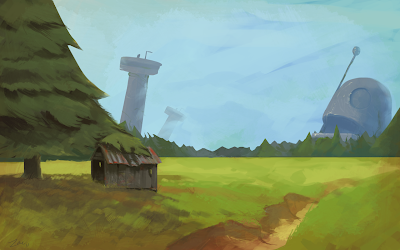
After The Robots (download) - Everything


Tuesday, May 22, 2012

Small spy game update

I posted last night with a little test for my spy game, in this blog post.

Tonight, I have added a little more to it, and it's starting to resemble to concept images. I also added physics based movement, so that the collisions were handled by Box2D.

 - GET IT HERE (spyGame_0.02.zip - Windows - 903kb) - 

Controls are the same: WASD, Mouse, Ctrl/Space (FOV resolution), E/R (FOV spread)

Also, here is a nice shiny new image.


Spy game - testing, testing...

I haven't posted in a few months. Work has kept me busy, out of trouble, under a roof. It's been good. It's also been a time of great ideas. I had kicked an idea around with Kyle Bostelmann for a few weeks while he was here in Melbourne, but it wasn't until a few days ago I really got into making something of it. Below is a quick concept I did when Kyle was here.

Oooh look, spies!
I've been coding in App Game Kit (AGK), a little product from The Game Creators, the dudes behind DarkBasic. I've always liked their products, and used them since the late 90's (so cool that I can say that now). For fast prototyping, they make some fantastic tools. AGK came onto the scene late last year, and is growing quite a nice little following. You should check it out. It does have it's limitations, basic geometry being a big one. I'd love to draw simple polygons, but that's not implemented yet, which is odd, as you can edit the hit-box for a sprite as a polygon. This is demonstrated in my little project.

I wanted to create a field of vision for a top-down game. AGK has some nice little raycasting functions, and using a combination of them, a little maths, and the polygonal sprite hit-boxes, I came up with a nice, robust, system. It demonstrates a FOV, with all the variables able to be tweaked. AND ROTATING SPRITES!!

GET IT HERE  ( spyTest.zip - Windows - 715kb)

It looks thusly:

Ahhh yeah.


Download it, mess around, and tell me just how simple it really is. I'm pretty happy that I could knock it over in a night!

Zac

Friday, February 17, 2012

My indie-dev reading list

I've been throwing my head into a lot of books over the last year or two, filling my noggin with useful information to do with design, cognitive science, indie-games, etc. They don't all directly relate to games, but the idea is to get a broader range of understanding, and apply that to our craft.

1) Flow - Mihaly Csikszentmihalyi : The name is a mouthful, but the book is undoubtedly one of the best I have ever read. It discusses the state of "flow", where a person's interaction with a system is so intimate that it becomes an extension of the self. Sounds a bit over-the-top, but understanding it really opens up a whole new way of looking at game design. Incidentally, Jason Rohrer's game, Passage, is almost a perfect mirror of a passage in the book, discussing family life and choices. Sure, it doesn't sound like it relates to game development, but it really does. I suggest taking notes in the margins, as it's a pretty full on book. Worth having a coffee with and thinking about it.

2) The Design of Everyday Things - Donald Norman : Want to be a better, more thoughtful designer? Read this book. It's fairly easy to process, well written, and almost light-hearted. It looks at design from a usage perspective, and is generally full of great advice. If you want to design anything well, get this book.

3) 250 Indie Games You Must Play - Mike Rose: A really good look into the world of indie games. I started reading, created a folder on my PC, and now it is filled with great games that inspire me a lot. There are some really cool, simple, and inspiring games in there, and as an education, it's fantastic. Each game has a small description with it, and any necessary links to the game. Worth getting if you want to explore the world of indie games.

4) How to Get Ideas - Jack Foster: Great book on how to get into a mindset where ideas come naturally and easily. It's not a long book, well written, lots of cool anecdotes, and generally light-hearted. This was a fantastic help to me when I was stuck in a design rut at LAI.

Those would be my top four picks at the moment. I'm working my way back through The Design of Everyday Things at the moment, making lots of notes on the pages as I go. I found this to be extremely helpful if I went for a few weeks without reading. A simple skim of the key lines I marked got me right back up to date.

All the books are cheap(ish), readily available, and definitely worth your time!

Thanks for reading,
Zac

Tuesday, February 14, 2012

Adventure Game update

The game is still progressing, and has taken almost final shape. I spent a few hours today creating a scene switching system that works pretty much as intended. Was a good little exercise in resource management, and while I'm sure it could be better, it works just fine. I was chasing a bug for a good portion of the time, but it ended up being an accidental copy/paste, so all is well in the world.

I have also completed all but one of the backgrounds for the game. These still have to be cut up, animated, and given some spit-and-polish, but the art itself, and the layouts, are final.

Some areas that I have yet to traverse are audio, music, and, interestingly, longevity. I'd like to think I can expand on this story/world that I am creating, but that will depend entirely on the reception. With that in mind, I am really looking forward to finishing Part 1, and getting the feedback from all you people!

A small, playable teaser of the game is available HERE. It's not polished yet, but it gives an idea of the style I am aiming for. ALSO - none of the art is encrypted, so you can easily smash it around and ruin the thing.

Thanks for reading,
Zac

Friday, February 10, 2012

The Shed

Finished the Shed background today. Looking forward to actually playing this game.


I also now have a very concrete idea of where the game will go for the first part. It's a little bit of an evolution, with ideas forming as I draw, think, and code for the game. Essentially, I have two more scenes to create for Part 1. Looking forward to finishing now!

Cheers, 
Zac

Thursday, February 9, 2012

Adventure Game

I've been making a little adventure game for a few weeks now. I originally started it in App Game Kit, but I think I will move development over to Unity, as it fits the scope of the project better. I'm hoping to release the adventure game in sections, with a new one every month or so.

While I work on other projects and side-thingies, I have been doing the art/concept art for the first part, known for now as "Part 1". Attached are the latest work-in-progress images. Not final quality yet, but getting there.


Thanks for reading,
Zac

Wednesday, February 1, 2012

New Game - Streams

I participated in the Global Game Jam last weekend, and it was a resounding success. In fact, just turning up to this event made it a success. Being around so many eager, like-minded, positive development is a beautiful thing, and inspiring to say the least.

I met/formed my team on the day, and we took the moniker "Blip" later on in the piece. The constituents were Ed, Leonard, Hu Hu, Andrew(design), Andrew(code), and myself. We came up with a nice little game called "Streams".


Please, play it and get some high scores going! I managed 20k+ after a few rounds, but I'm sure others can top that.

You can find all the necessary downloadies at Leonard's website - http://leonardfrankel.com/#streams

Thanks for reading,
Zac

Thursday, December 29, 2011

New Art

Well, it's been ages since my last post.

In that time, I have moved from Jakarta to Melbourne, into unemployment, and onto some of my own projects.

It's been quite a while since I sat down with the tablet and actually drew something, so today marks somewhat of a special occasion.

I was mulling over this type of scene a little the other day, and then, after seeing The Iron Giant again, was inspired to draw. I'm a little rusty, but it was a good exercise to get back into things.


Cheers,
Zac

Thursday, October 6, 2011

Been oh so busy

Just a quick update - I've been in Jakarta for about a month now, working on various projects for LAI Games and Matahari-Leisure. My job is to manage the development of our new video-game engine, and set up the whole development process. It's been lacking in the company for some time, so hopefully we can set things right and get everything running a lot smoother!

It's been pretty full on, and to be honest, after a full day of staring at a screen and working through hardware/software issues with multiple platforms, coding is the last thing on my list of relaxing past-times!! That said, I have been steadily formulating plans for a game that I've wanted to make for about 9 months now. It will definitely be interesting. Also, had a few ideas for artwork. Will try to get something done soon, as I need that creative release.

Also, R.I.P. Steve Jobs. Really sad to hear of his passing.

Cheers,
Zac

Wednesday, August 31, 2011

A lot of progress

I have been sick for the last few days, so I took the time to do a little reading and programming.

I'm reading "Flow" at the moment, slowly making my way through it, taking notes, and generally trying to cement as much of it in my mind as I can. It's a phenomenal book, and definitely worth a read if you are into game development.

In terms of programming, I'm still working on Granny Jump in App Game Kit. It's actually coming along really nicely. I reckon in a few more stints of coding and I'll have something cool to playtest. It's already fun, with simple squares a place-holders. This is good.

It's late, and I'm tired, so no screenshot, and off to bed it is.

Cheers.

Tuesday, August 30, 2011

The mid-painting-slump

I do a few digital paintings from time to time. Usually my muse and I enjoy a short lived relationship, lasting no longer than a few hours or so. After such a time, I find it very hard to return to a piece. With that in mind, I try to get all my paintings done in one stint.

As my mum, and art teacher, has told me on many occasions, there is a part of the painting process that is, more often that not, a tiresome affair. I know it as the mid-painting-slump. It's the time right after the original idea has gripped you, all the sketching is done, and block colours have been whacked in. It's the time where questions really start arising. Is the concept solid enough? Can I complete this to be as clear on paper as it is in my head? That translation from head to page is sorely tested at this point.

I had an interesting run in with The Slump last month. I was in Indonesia for work, and of an evening either enjoyed a few beverages, or tried to do a painting. One particular night I started work on a painting, then, half way through, right on the cusp of The Slump, we decided to go out for a drink at the local bar. This left me in an interesting position. I had an alright feeling about this painting, having been heavily inspired by this blog post. It fitted perfectly in with my Lantern Guy's world, so I decided to try my own hand at it.

The Slump hit just as I was about to leave, and this is what it looked like -


I was a little bit worried about the painting at this stage. Thankfully, we weren't out too late, and my muse had kindly stayed with my artwork. It seems that sometimes she believes in an artwork more than I do. I was able to push past The Slump, and engage with the piece on another level entirely.

There are several things I find help get me past The Slump. One of the key problems is that once I start a painting, I like to follow my mentally defined pattern of how the painting should be achieved. This can become quite static, as the process of painting is much too organic and hates to be limited.


1. Break some rules.

I do something I wasn't expecting. I add something, a layer, a detail, a mark, that I would normally not add. I let myself relax into the exploration of the theme. Some of my brush strokes might suggest a new form, and I just follow it and see what happens. This is a LOT of fun.


2. Stop thinking, and start detailing. 

Another thing I find very enjoyable is to pick a random spot on the painting and just work it. I define some edges, blur others. Add lighting, add warmth, cold, contrast. Most of all, I love adding little lines. Edges are so interesting, especially when some are lost.

When I engage with these two new practices, I get into the flow section of painting. I forget time, and just engage. This is, for me, the most exhilarating part of making art.

For this particular painting, these two practices worked perfectly. I'm sure there are more things I do, and I am sure others have more successful methods, and I'd love to hear about them!

Finally, I finished the painting.


Thanks for reading!

Monday, August 29, 2011

Games I've worked on

I was asked recently for a link to games I have worked on. I realised I have no such linkage.

To remedy this, here is a list of, to date, the games that I have worked on in some capacity. This list is limited to games that actually ended up happening (or even finished). Which is a pity, as there are a lot of OLD games I worked on as a 12-17 year old that were horrible and AWESOME, but I'm not sure the internet has them in their memories. So, the real list is as follows:

  1. Office Wars - concept/prop/texture/etc artist with Tim Randall
  2. The Great Migration - art, design, animation etc with Immigration Office (2009)
  3. Snowman - art, design with Henrik Pettersson (http://vghpe.blogspot.com)
  4. Lantern Guy - Uni project - Design, art, code (Sound by Delia, character by Amjad)
  5. Little Dino's Big Adventure - art, design, animation etc with Immigration Office (2010)
Ok, for now, that will do.

I am sure there are more, and I'd really like to find them all. It was pretty fun tracking them down, and I'd love to find some of the older projects I worked on.

I'll update this list as I reveal the games!

Cheers.


Done for the night

I was able to do a little tonight, and mostly achieved my goals. I do seem to get derailed a little, as my goalposts move as I develop. I wanted the grannies to move in a certain way, but upon reflection, it wasn't nearly as thought out as I thought it was.

I did get the player jumping correctly, and was pretty happy that App Game Kit has the GetButtonPressed() function. It made things a lot easier. Small mercies, eh?

The grannies will have to wait a little for now, but things are coming along. I wanted the player's jump to be controlled by code, and not physics, as I would have to stop it from freaking out should it be hit. Fixed this by making the player sprite kinematic.

A wonderful image to ponder.


Unless I get the urge to write some more, goodnight!

Start with the blogging


I have thought about it for a while, and I'd like to get some of my thoughts out and trackable. I like looking back over the path of a thought, through old notebooks, old emails, and old letters. I'd like for this blog to be something similar. It takes a level of discipline that I don't generally have (I know, it's not much), so this is also something I'd like to keep up.

Tonight, my plan is to work a little more on the game I started after Freeplay 2011, Granny Jump. It's a pretty simple two player game, and more of a practice run with App Game Kit.

My to-do is as follows:
  • Control the player's jump without physics
  • Get grannies lined up and moving properly
I've not used physics before in 2D, and definitely not in DarkBASIC, so this is a bit of a learning curve for me. Interesting, and slow progress, but good none-the-less.

"Quick screenshot," I hear you yell? Ok, but just because I like you, not because it's interesting!


That's it for now. Hopefully some progress will unfold later on!

Cheers.

Tuesday, June 15, 2010

Final Presentation - An Ending

This semester, I wanted to focus on making my project "Lantern", while also doing environment art. My original plan was to work on Lantern as an artist, and have a proper coder come on board and take care of that side. This did not happen, as all of the programmers were taken up with other projects. So, rather than close down Lantern, I decided to focus on it, and withdraw from "Islands", the other project I was working on.

At the start, Delia and I were advised to try joining our ideas together. She had a game that employed a light mechanic, and we attempted to combine them. Sadly, it didn't work out well,
and the first prototype was, in a few ways, a failure. Artistically, it was good, but in terms of the mechanic...well, there was none. I wasn't happy that we had worked on something that I pushed, and it had not worked. So, rather than dump it, I took it back to the drawing board and re-jigged it. I went back to the original formula that I wanted, which is fairly simple light mechanics, and built on that. The finished product that I have is really only in Alpha stage, but it shows enough to suggest it could work. I got a full time job in the last 3 weeks of work, so my progress on Lantern was significantly slowed. Thus, some of the newer artwork did not make it into the game.

My personal work ended up being more Art Director/Concept Artist in nature. I helped James Cunningham on Blockets - Cameron Schilling and his team on Islands -


Henrik Pettersson on his projects -


as well as the majority of the art for Lantern -


With all these projects, I effectively established the game's style, creating concepts that gave each game a unique feel. I think I did rather well with this.

Things that went right -

I was able to do a lot of good artwork over the semester. I helped in a few projects, and can say that I am actually happy with how Lantern progressed. Is it the best game ever? Probably not, but I am happy with it's progress.

Things that went wrong -

The first prototype was a bit of a mong. It didn't have a solid concept behind it at all, and this was obvious in the final build. Also, my lack of programming skill made my work on Lantern very tiresome and harder than expected. Thankfully, I was able to get a lot of help from Matt, and James also. One thing I wasn't happy with was the fact that I worked alone for most of the semester. This was my call, and one I would do differently. Working alone means you don't need to rely on anyone, but also means you become narrow-minded, and can miss a lot. I would definitely do that differently next time.

Conclusion -

I worked on this game solo for most of the semester, and from that, I am reasonably happy with what transpired. There is a lot missing, a bit broken, and no discernable gameplay, but the core is there. My Unity Project is freely available here, so please, go through it and do whatever. With full-time work taking up my efforts these days, I do not think I will be back at Uni for some time. So, thankyou all for the great times, memories, and being able to work on games with such a cool bunch of people. I really have enjoyed it!!

Here is the link to the files, zipped -

Unity Project

Standalone EXE


Regards,
Greenlig

Thursday, May 27, 2010

A demo run...

So, here is the current build of Lantern.

Controls are -

A + D to move the Character

Mouse to point the lantern

Objective -

To get through the gates on the right. Use the lantern to interact with things in the scene. The elements are the Solar Panels(which give charge to gates or mirrors), Gates, Mirrors, and Bats.

Known issues -

The lantern controls are still being developed. There are several niggling problems that I haven't got around to addressing with the rotation, but those will be fixed. Also, you can open both the gates by pressing up against them and hitting the solar panels behind. Yay. I need to change some collision settings. Next build eh?

Please play it, and give me feedback. I want to make this a much tighter game than it is, and that needs feedback.

Follow this LINK to play the game.

Cheers,
Greenlig

Lantern, as it stands...

How it looks in the current build.


I will be putting a playable version up somewhere, SOON! That, or make a video detailing what is happening.

Cheers,
Zac

Wednesday, May 26, 2010

Lantern Update

Some nice developments today.

- Added a line renderer that you can set up to link objects. It's very simple, but does the job for now.
- Added a cool powerup element to the Solar Panels. Allows you to see what's happening.
- The reflection panels rotate at 45 degree increments, but it's buggy.

Visual feedback is imperative in a game like this, so these developments are welcome!!

More to come later + images.

Greenlig

Friday, May 21, 2010

A few changes

Hey guys,

I have changed my blog's name to Drive a Bear, and my name will be Greenlig henceforth. Due to my job, I can't be designing too much stuff on the side. To protect this God-given right, I will just do everything here under Greenlig.

Cheers Kiddoes

Greenlig